
A. Attributions
Thank you to Eric Qian for collaborations on TurtleNet over years, and for providing ongoing colocation services.
Thank you to Kevin the Doge for protecting TurtleNet with his life. Many potential system threats have been vanquished under the ferocity of his watchful eye.

Thank you to Kognise & other contributors to Putting the “You” in CPU, which has been a major inspiration for me throughout the years content-wise, as well as a significant design inspiration for the current iteration of the website.
Thank you to Amtrak for providing the comfy seat and snowy mountain views which enabled me to write 10,000+ of the words in this series.
B. V2 Changelog
For the most part, V2 is just a more polished and up-to-date version of V1. I didn’t add that much new content. Every time I changed something, I noted it down in the list below.
- add this Appendix page
- add Behind the Scenes
- update introduction and various pages to the post-LLM world
- new architecture diagram and architecture cards
- update end-of-season message
- deprecate zerotier, replace w/ tailscale
- recommend truenas scale instead of truenas core
- add section about cloudflared
- better prose overall, i’m a better writer than i was a few years ago (at least i hope)
- update application list + description
- update networking information to reflect presence of physical hardware
- github actions instead of netlify
- update pc part picking info (RIP part prices)
- update opengraph covers
- add a “connecting to the internet” section that describes ISPs and physical hardware before getting to tailscale
- archive the ocf kubernetes lab into garden.bencuan.me
- move domain config info from tailscale to public networking section
- add a note about proxmox backup server
- add ‘a short list of things i don’t want to self host’ to the appendix
C. Colophon
I designed TurtleNet in Figma. You can view the design file here.
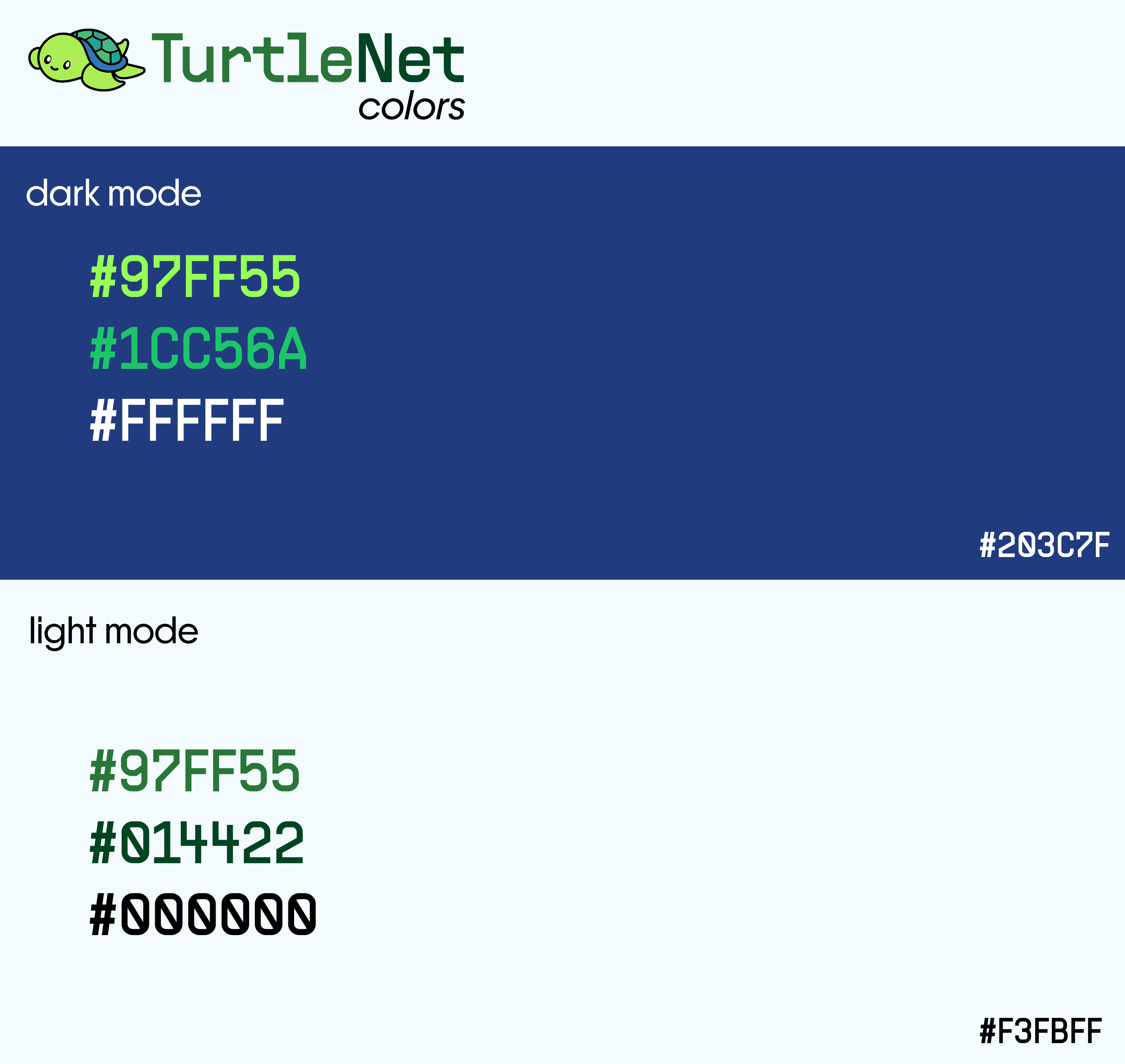
I’ve attached the color and typography cards below. Frama and Supply Sans are designed by Pangram Pangram and licensed for personal use. Atkinson Hyperlegible and Fira Code are available under the SIL Open Font License.

D. A short list of things I don’t want to self host
Email servers
Self-hosting email is possible, not that hard in theory, and great from a privacy/ownership perspective. I know people who have done it for themselves. However, I would not recommend it to nearly anyone. If you’ve heeded all the warnings and still have the urge to do it, I’m rooting for you— but at a safe distance! 🫡
conventional wisdom
A few discussions (both pro and against self-hosting email) from around the internet from people who have gone through this before.
- r/selfhosted: Why you really DON’T want to self-host your own e-mail server
- Privacy Guides: Is self-hosting an email server really that bad?
- Gilles Chehade: You should not run your mail server because mail is hard
i need ~100% uptime for email
From an industry-standard perspective, TurtleNet has very low reliability (~99% uptime). This is by design: nobody’s lives are on the line, nothing I host really needs to be around 100% of the time, and I get to reboot/rebuild the server whenever I feel like it.
Although modern email services have retry mechanisms and other sorts of things to almost-guarantee every message gets sent eventually, this is much more about peace of mind for me. If I self-hosted my own email, I’d constantly question whether or not a message I sent actually got delivered, or whether I missed an important email.
the spam problem
Spam goes both ways when self-hosting email:
- Incoming spam is especially bad unless you take the care to set up and tune self-hosted spam filters. Gmail and other commercial mail providers have over a decade of experience tuning their filters; I certainly don’t.
- Since your email will originate from a relatively unknown source, they’ll inevitably end up in your recipients’ spam folders by default. Be prepared to go down the DMARC/DKIM/SPF rabbit hole at the very minimum.
Static sites
It would be a fairly trivial one-liner for me to host my static sites (like this website, or my homepage) from my ingress server. However, it’s not worth my time because other peoples’ static site hosting services are free and also better in almost every way:
- Faster loading times for everyone!
- They have CDNs, web caches, and other neat tricks so people who live on the other side of the world don’t need to round-trip to California every time they load the page.
- Better development experience- PR/deployment previews, CI, pre/post-build hooks, asset optimization, etc.
- Much, much better uptime - even GitHub with all of its problems is more robust than my homelab could ever be…
Vercel, GitHub Pages, etc. are often more than good enough to support all of these needs with minimal configuration.
If I ever need to turn this site or any other site into a responsive webapp, then I’ll migrate it over— but until then, I’m happy delegating this to someone else.
Git and backups
Traditionally, the 3-2-1 backup rule (3 copies of your data on at least 2 different devices with 1 copy offsite) is a good heuristic for ensuring data safety.
Practically, this is very difficult and expensive to achieve on a fully self-hosted system. Duplicating my data would necessitate building and hosting a second server off-site, which would double my costs. I’m perfectly happy hosting my most critical files on GitHub, paying Apple $0.99/month for iCloud, etc. for more reliable backup and version control at a significantly lower price.